Planning Surveys and Data Collection
Survey planning in MariMap keeps marine data collection consistent across teams and sites. Use survey plans to define protocols, sampling geometry, filters, and recurrence schedules before field work starts. Then create surveys from those plans so your data grids and method settings are ready when you head into the field.
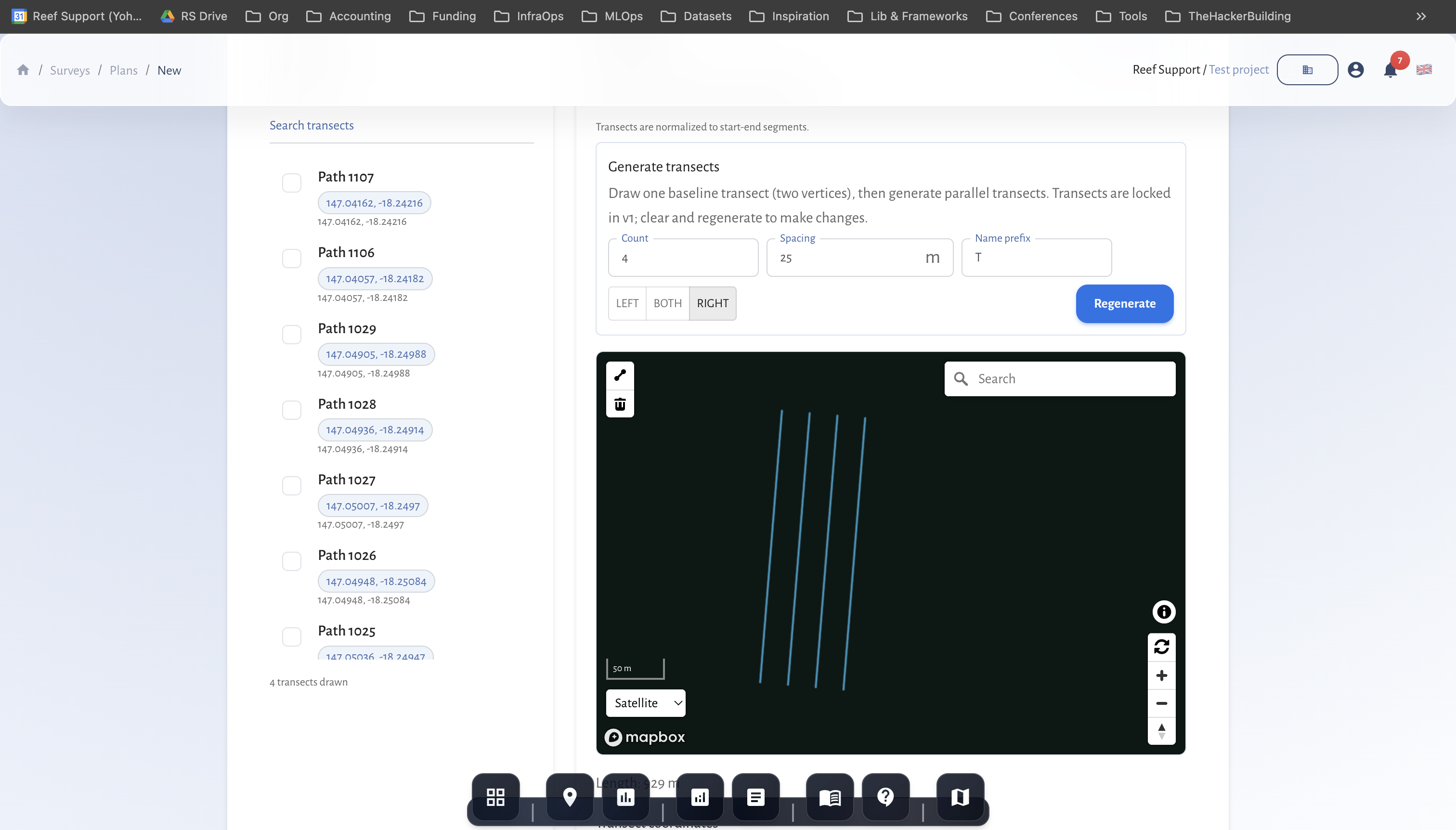 Draw plan geometry once and reuse it for repeat surveys.
At a glance
- Survey plans are reusable recipes: protocol + geometry + filters + recurrence.
- Create plans in Surveys → Plans, then generate surveys from them.
- Geometry is drawn inside the site boundary or uploaded from GIS files.
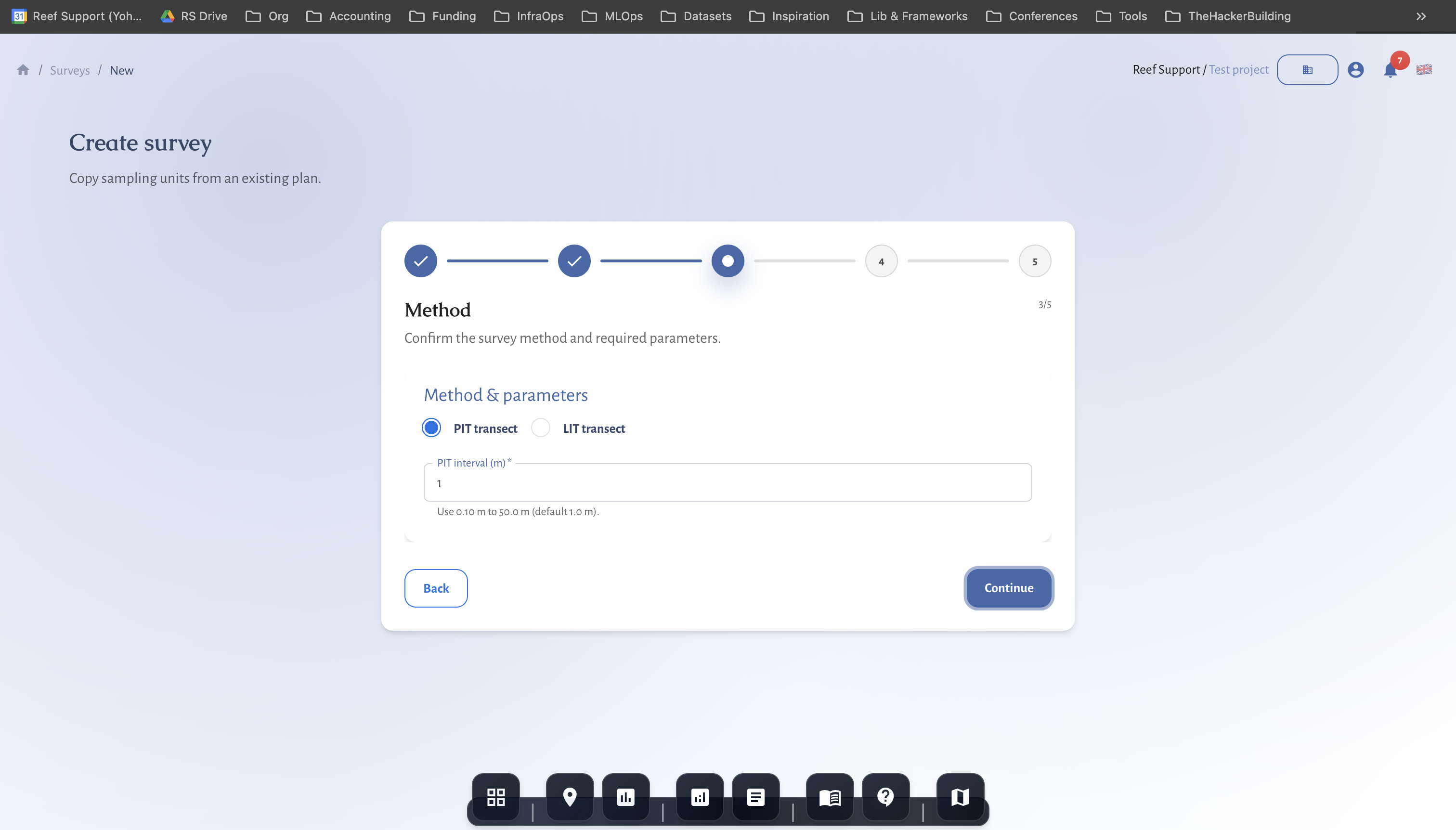
- Method settings (PIT interval, belt width, plot radius) are captured during survey creation.
- Field sheets can be downloaded once a survey is created.
Before you start
- Projects and sites are set up.
- The site type is correct (coral reef, seagrass, mangrove, or facility).
- You know which protocol you need for your monitoring objectives.
- If you already have geometry, prepare GeoJSON or KML files.
Step-by-step in MariMap
1) Open the Plans view
- Go to Surveys.
- Switch to Plans.
- Click Create plan.
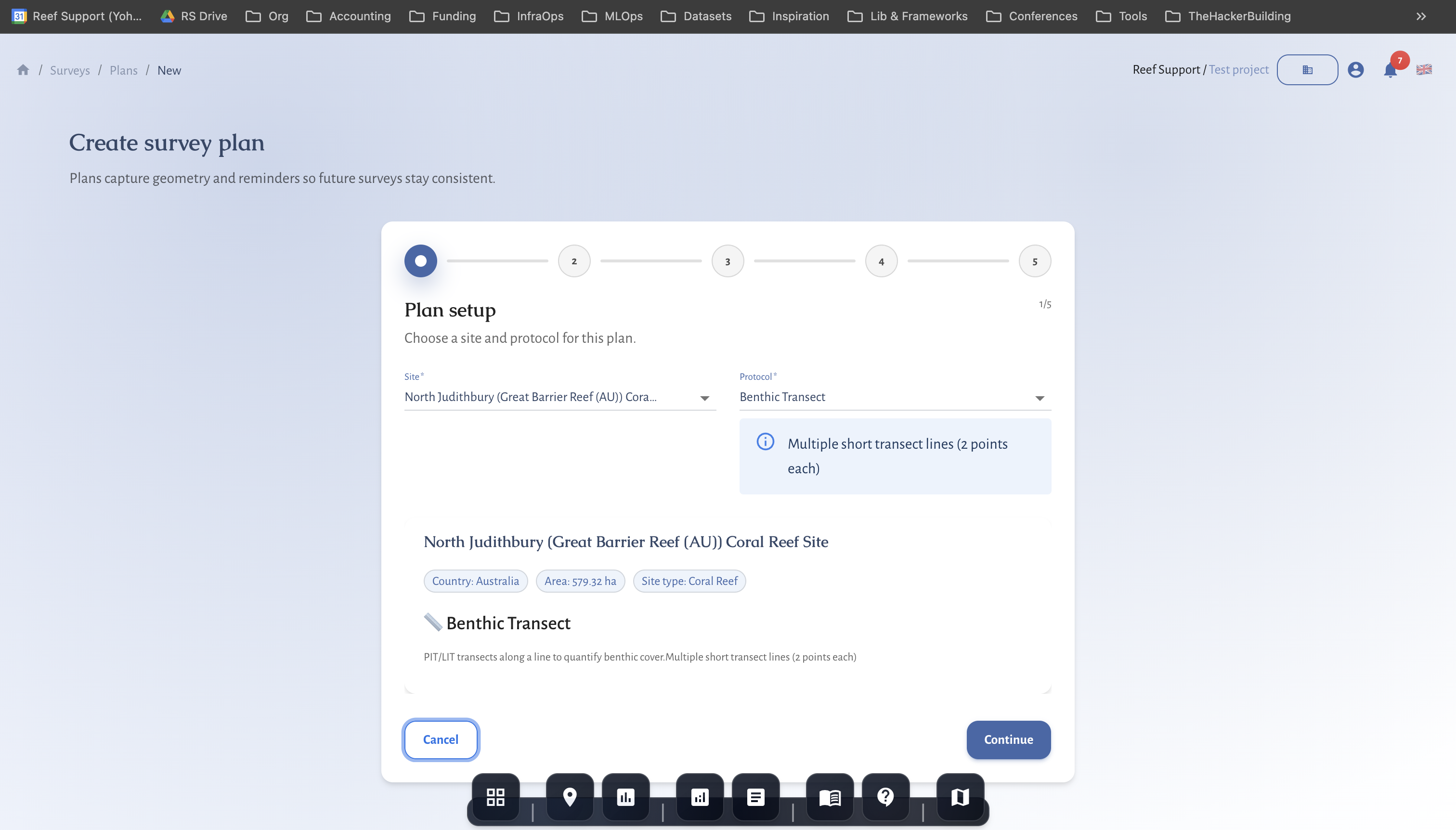
2) Plan setup (site + protocol)
- Select the site.
- Choose the protocol. MariMap only shows protocols that match the site type.
- Enter a clear plan name and keep the plan active if it should be reused.
3) Geometry and observation units
- Choose whether to Reuse observation units or Create new units.
- Draw geometry inside the site boundary:
- Transects for benthic and fish protocols.
- AOI polygons for fauna observation or tree growth.
- Points or photo units for benthic image workflows.
- If you have existing GIS data, use Upload GeoJSON/KML.
- Save the geometry to create observation units.
For restoration facilities, geometry is optional and can be managed in the restoration panel.
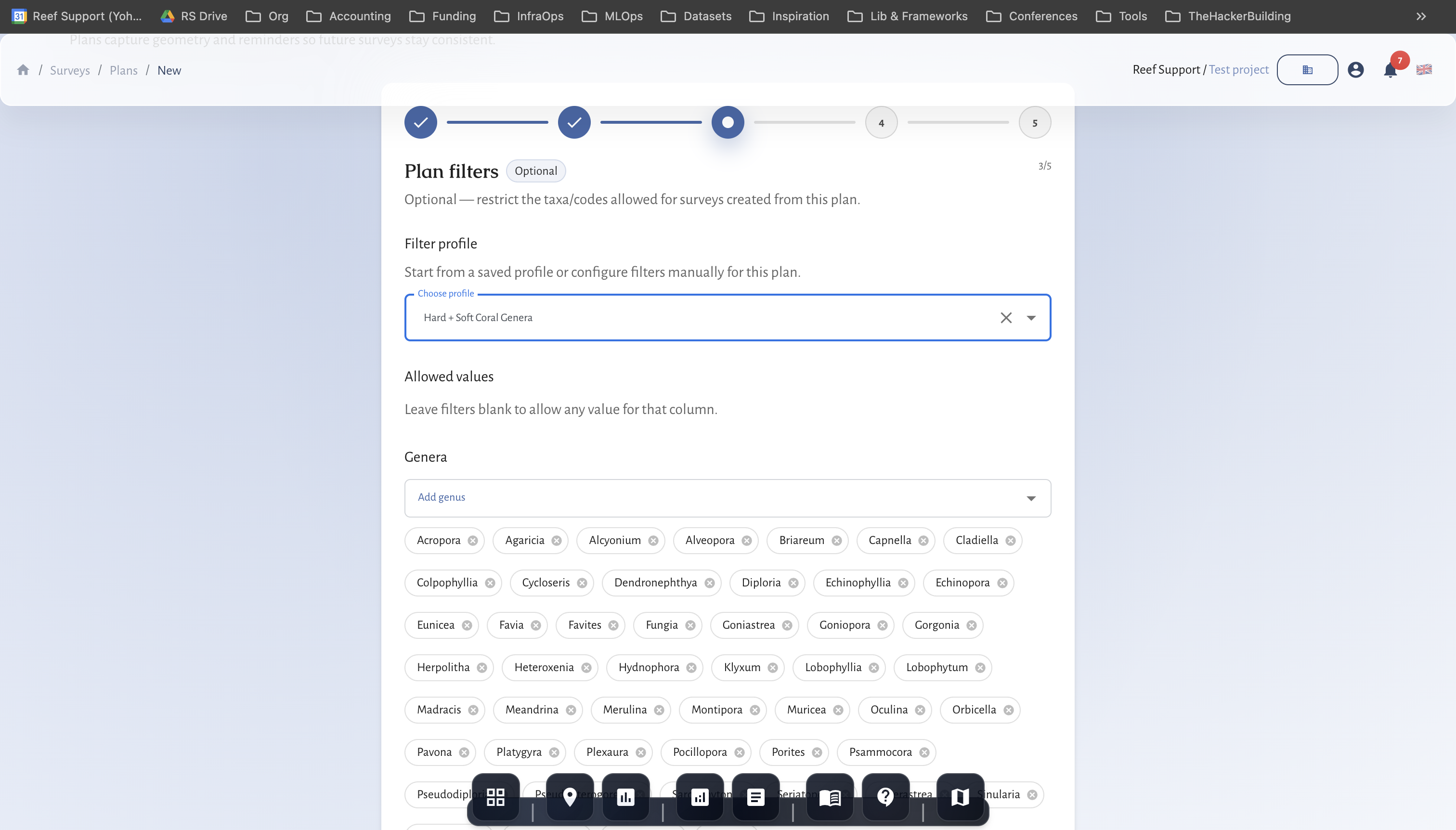
4) Plan filters (optional)
Filters help standardize data entry across teams.
- Open Plan filters.
- Add allowed benthic codes, fish codes, or taxonomy lists.
- Save the filters for the plan.
Values outside the filter can still be entered but will be flagged as outliers.
5) Recurrence and scheduling
- Choose a recurrence pattern (None, Weekly, Monthly, Quarterly).
- Use recurrence when you need consistent seasonal monitoring.
6) Review and create
Check the summary and click Create plan.
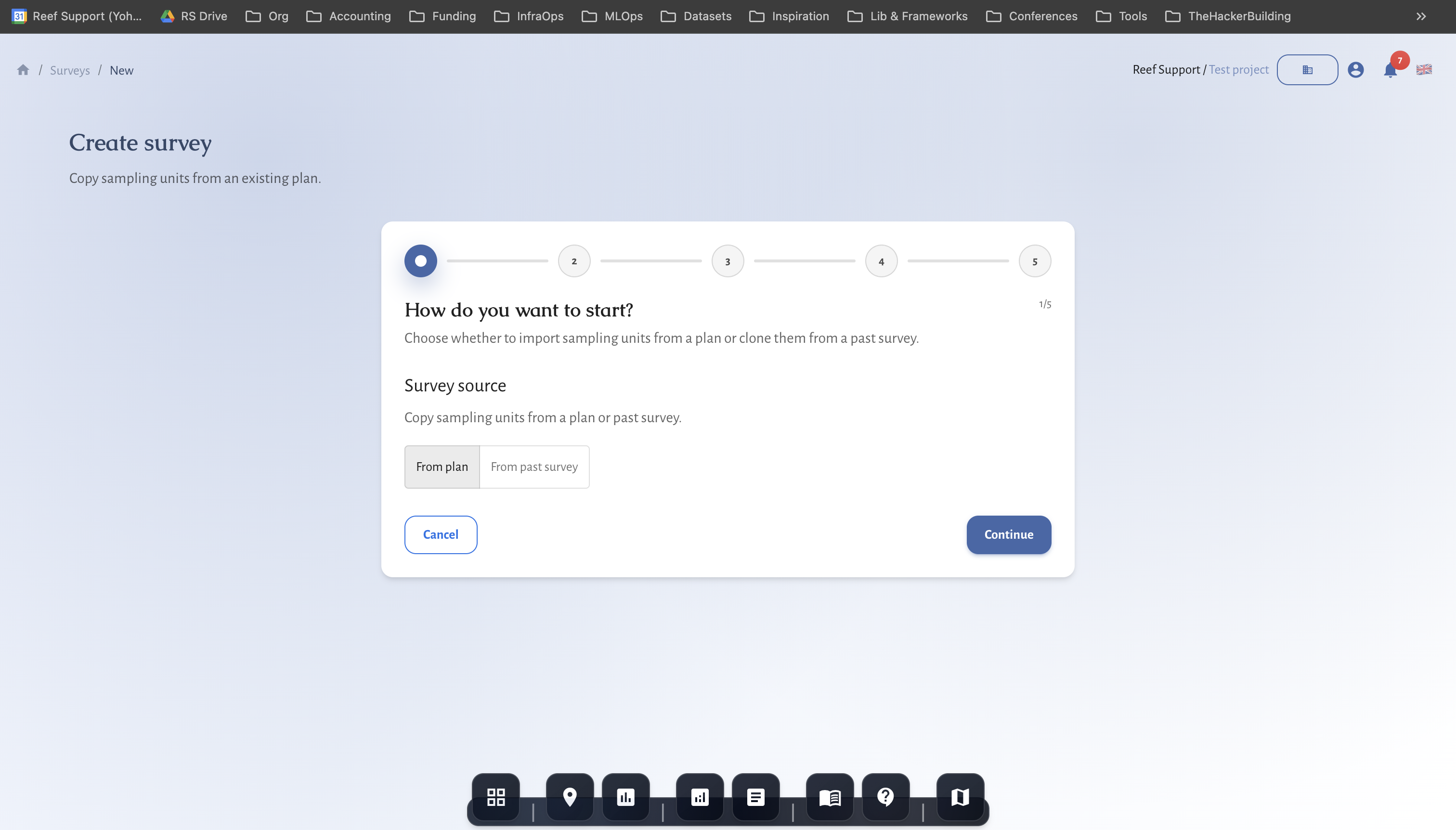
7) Create a survey from the plan
- Switch back to Surveys.
- Click Create survey.
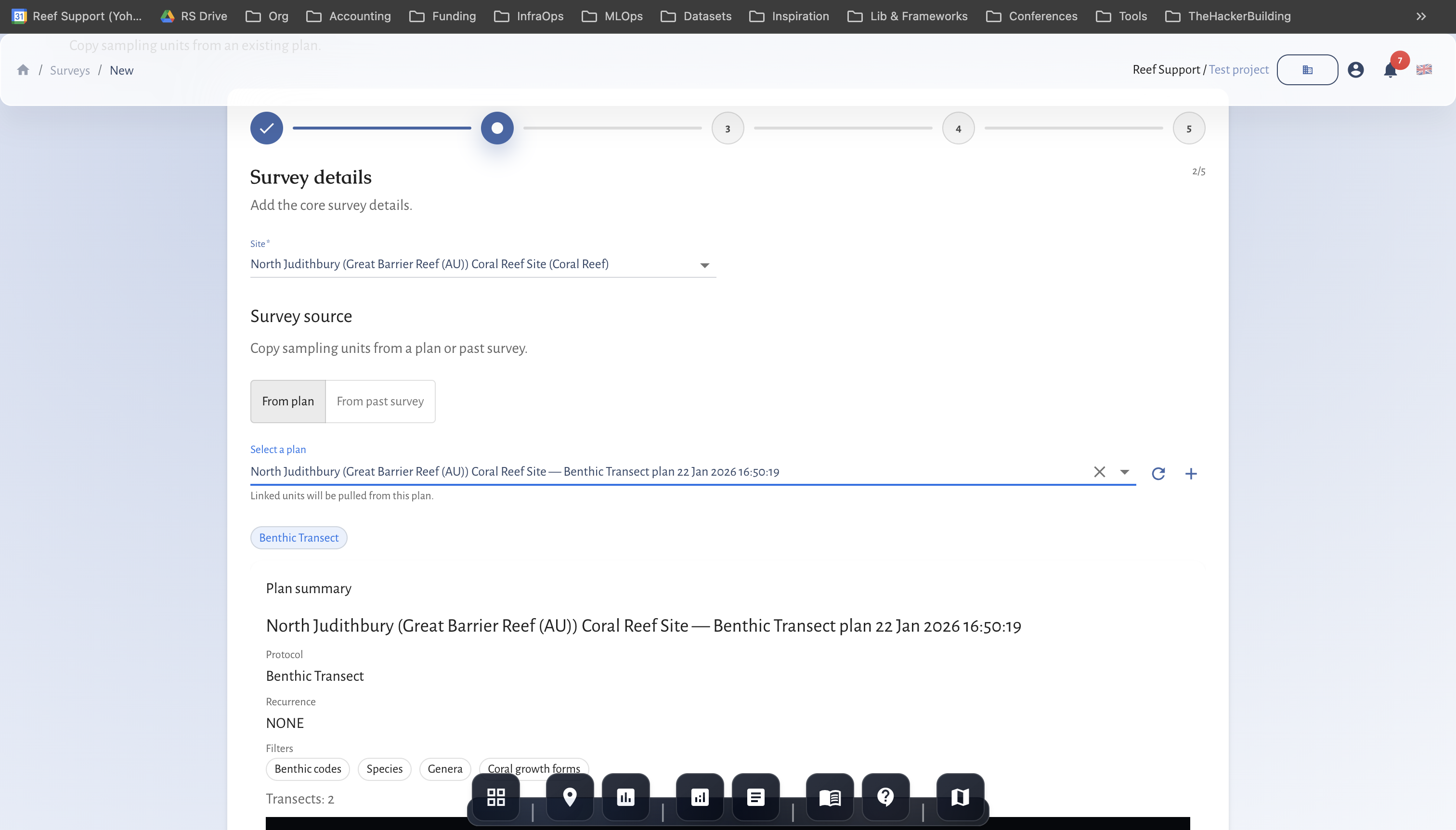
- Choose Plan as the source and select the plan.
- Confirm the survey date and team.
- Set method details:
- Benthic transect: PIT or LIT and interval.
- Fish transect: belt width and size classes.
- Tree growth: plot radius and measurement fields.
- Create the survey to open the data grid.
8) Prepare for field work
- Download the field sheet (CSV/PDF) if your team uses paper or offline capture.
- Confirm the plan geometry and method settings before the survey date.
Protocol notes
- Benthic transect: use PIT or LIT consistently across repeat surveys.
- Fish transect: confirm belt width and size classes before field work.
- Tree growth: ensure plots are inside the site boundary and size fields are correct.
- Fauna observation: use AOI polygons with clear habitat notes.
Data quality and QA/QC
- Keep plan names consistent so teams can find the right template.
- Reuse geometry to improve comparability across seasons.
- Record field notes for visibility, current, and access conditions.
- Update survey status as QA/QC progresses.
Common issues
- No protocols shown: check the site type; protocols are filtered by ecosystem.
- Geometry errors: observation units must be inside the site boundary.
- Missing method details: some fields are required at survey creation.
MRV readiness and disclosure alignment
- Baseline vs repeat surveys: mark baselines and keep repeat surveys on comparable geometry.
- Monitoring plan logic: define cadence, QA/QC thresholds, and conservative handling of uncertainty.
- Outcome types and claims discipline: record uplift, avoided loss, or maintenance credits; separate inputs from verified outcomes.
- Rights and integrity: document FPIC, customary marine tenure, OECM, ICCA, benefit sharing, durability mechanisms, and leakage risk.
- Disclosure alignment: map indicators to TNFD, CSRD, ESRS, EU Taxonomy, SBTN, and SBTi requirements.
- Use the Metrics Reference and Data Providers for definitions and sources.
Related guides
- Coral Reef Monitoring in MariMap
- Seagrass Monitoring in MariMap
- Mangrove Monitoring in MariMap
- Generating Reports for Funders and Regulators
References
- Reef Check Monitoring Protocol
- GCRMN Monitoring Methods
- Reef Life Survey Methods
- SeagrassNet Protocol
- Mangrove Watch Protocol